INSTANTBrowsing never waits on the server.
PRIVATENothing phones home. We couldn't tell you who's watching.

The Jellyfin client for people who notice the spinner.
We’ve been using media players for decades and kept a list of everything we wished they did. Jellybeam is that list.
- InstantNO SPINNERS
- Full qualityAS MASTERED
- PrivateNO ANALYTICS
Browsing never waits.
Jellybeam keeps a mirror of your library on the TV itself. Scrolling, filtering and search never make a round trip to the server.

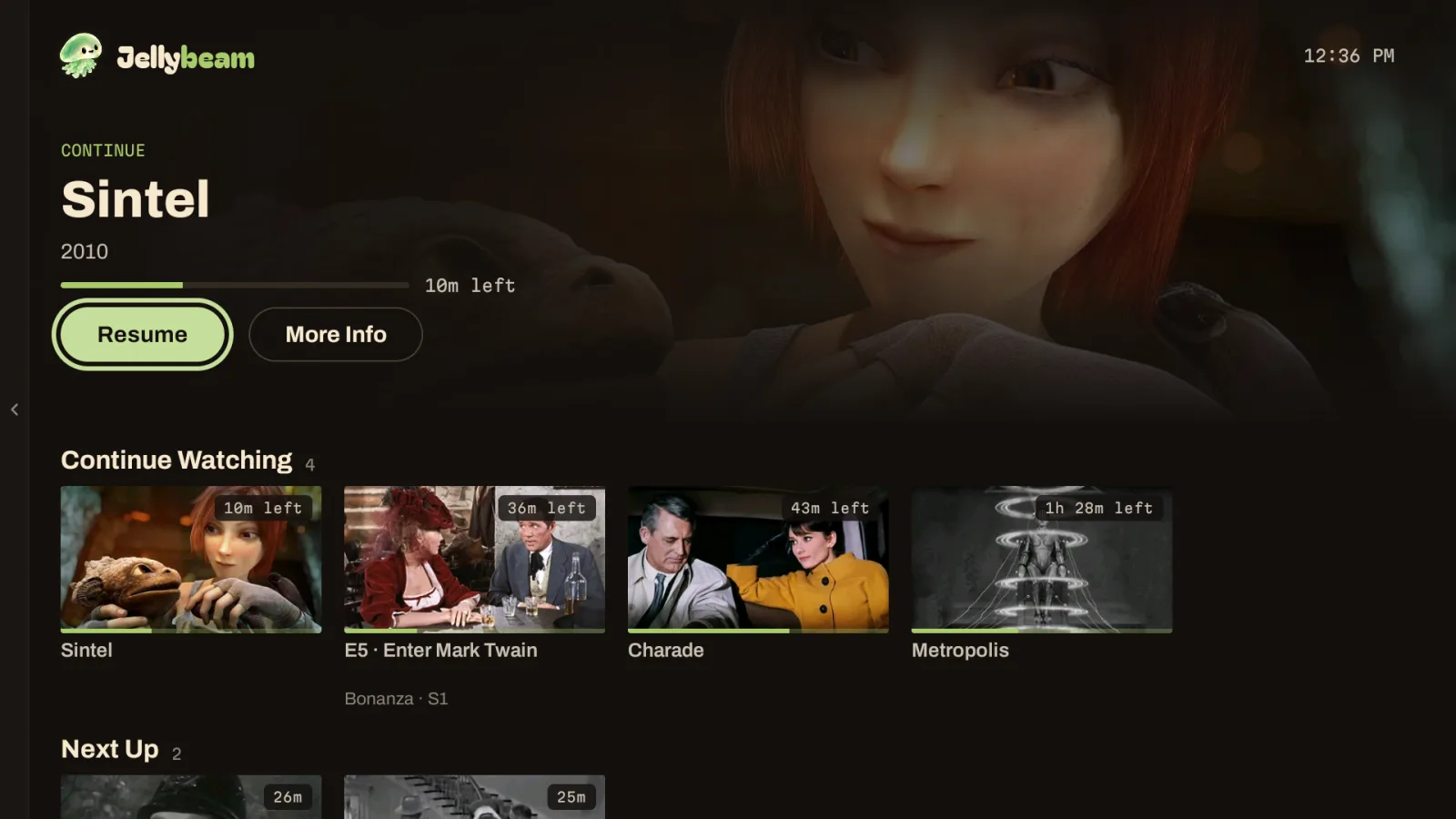
- Home is up before you've sat down.Everything in your library is ready the moment it opens.
- Play starts before you press.Rest on a poster and it’s ready to play before you decide. No extra bandwidth required.
- Changes just show up.Your library stays in sync on its own.
- Search answers as you type.Even in a library that got out of hand years ago.
- Fast on day one, still fast on day 300.We time every screen on the real release build, so if it ever slows down, we notice first.
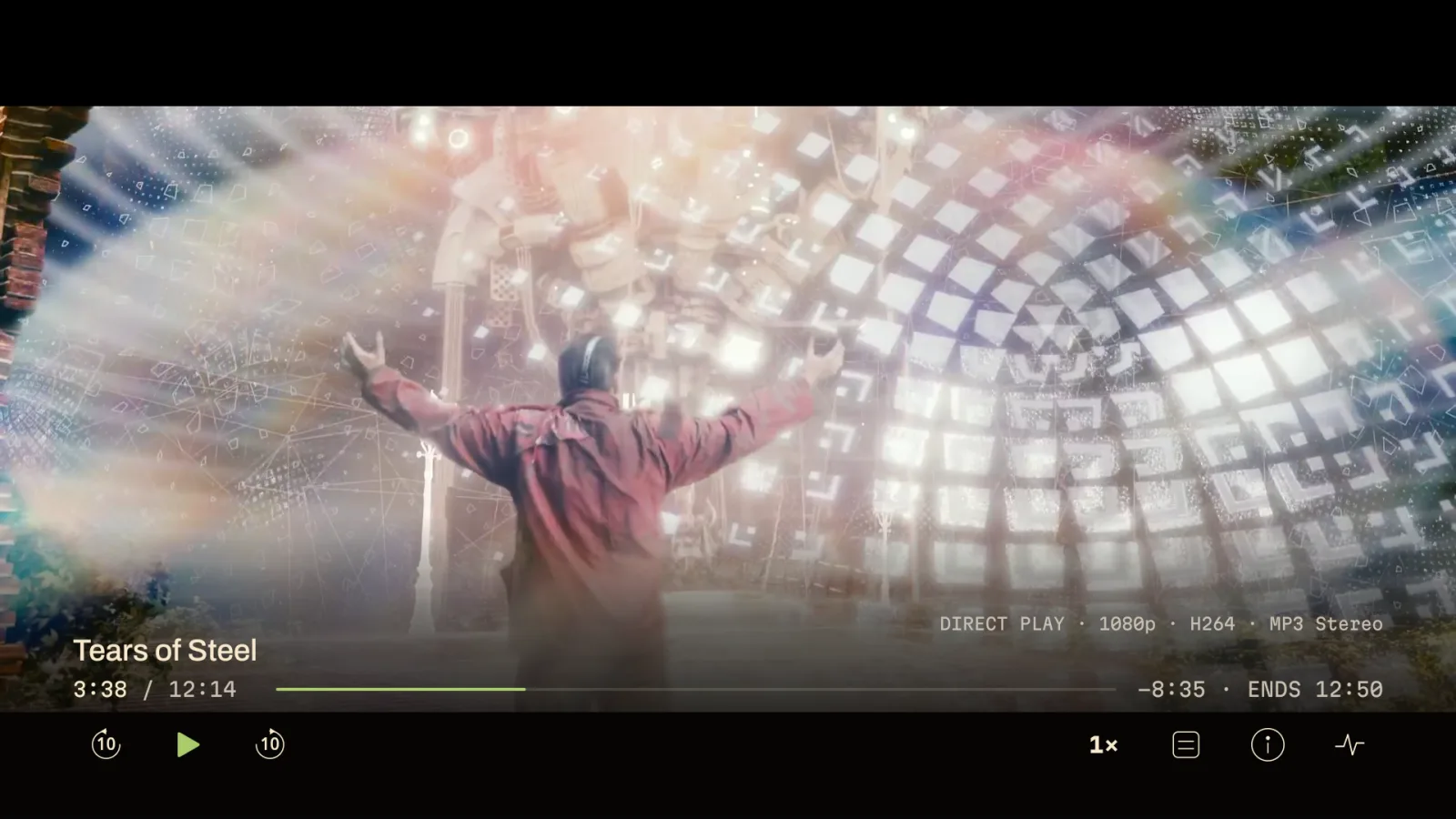
Plays the file. The actual file.
Jellybeam checks what your TV can decode first, so your server can skip the transcoding and stay cool. Have a stubborn file? Try it in Jellybeam.
- As good as your TV can show it.HDR reaches the panel as it was mastered, even when an encode mislabels itself.
- As good as your speakers can play it.Your TV plays it natively. When it can’t, Jellybeam’s built-in FFmpeg decodes it on the TV instead of asking the server to transcode.
- Subtitles just show up.Styled ASS and PGS tracks too, read straight from the file.
Transcoding only happens if you turn it on. We'd rather tell you than quietly shrink your movie.
Request it from the couch.
Connect Jellyseerr or Overseerr once and Discover joins the menu. Find the show your friend won't stop talking about and request it with one press, in 4K if you like.
Skip the setup and it never makes a single network call.

Your music, too.

Albums, artists, songs, playlists and genres, right next to your films. Start an album, line up a queue, and it keeps playing while you browse or after you leave the app.
- Gapless, from the file.Albums play track into track with no gap, straight from the file.
- Lyrics, when the song has them.Shown beside the art. Synced lyrics follow along.
- Leave it on.After two minutes without a press, the art and title drift slowly across the screen.
Watch together.
Start a room from any title, and the other accounts on your server join with one press. It’s Jellyfin’s own SyncPlay, so there’s no plugin to install.
- One pause for everyone.Pause, seek or skip the intro and the whole room follows.
- Your subtitles, their dub.Everyone keeps their own audio, subtitles and quality.
- Nobody holds up the night.If someone’s stream stalls, press Play to start without them.
The small things you notice on night three.

A few things from the list.
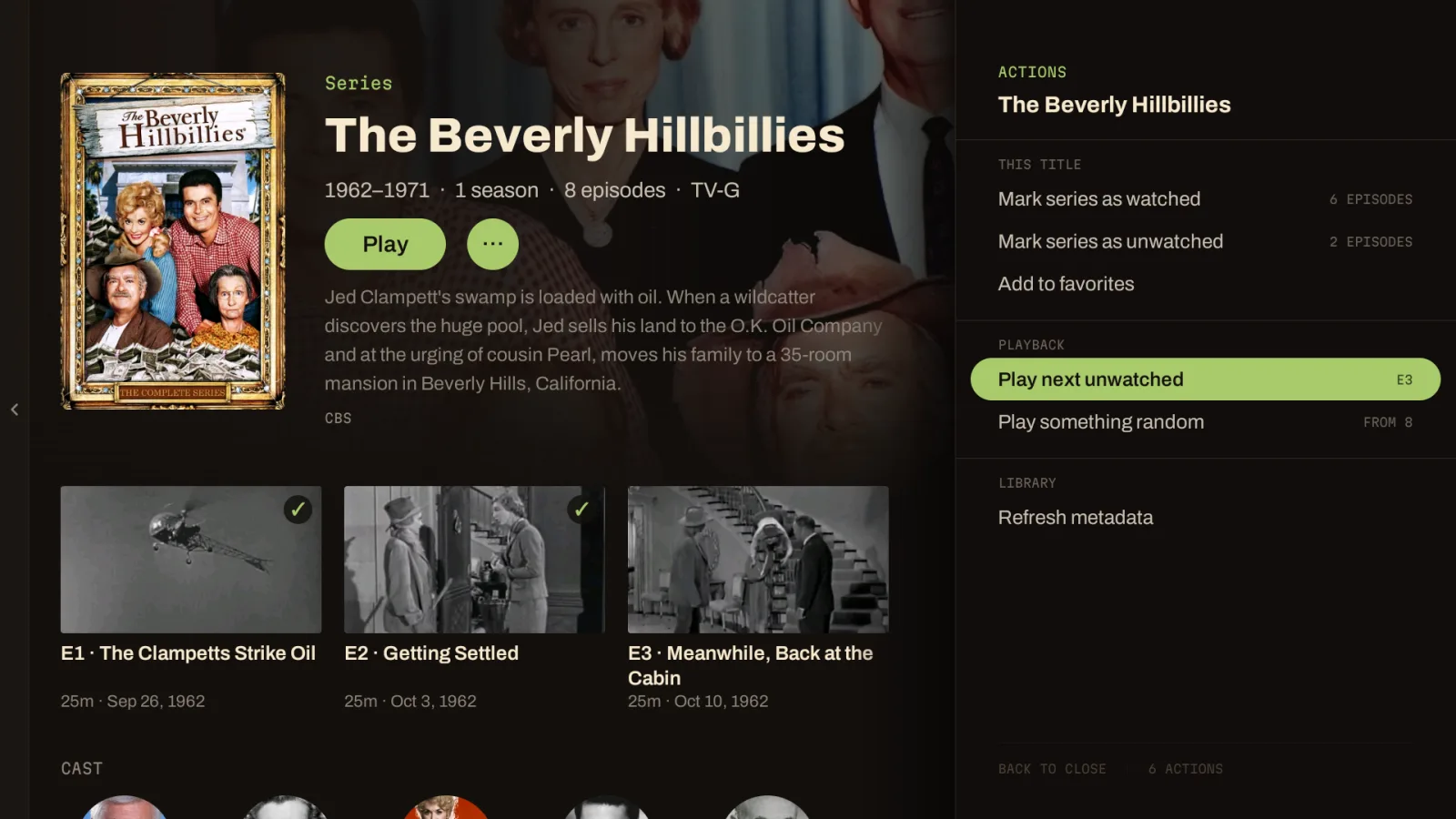
ACTIONSPlay next unwatched, one press from the title.
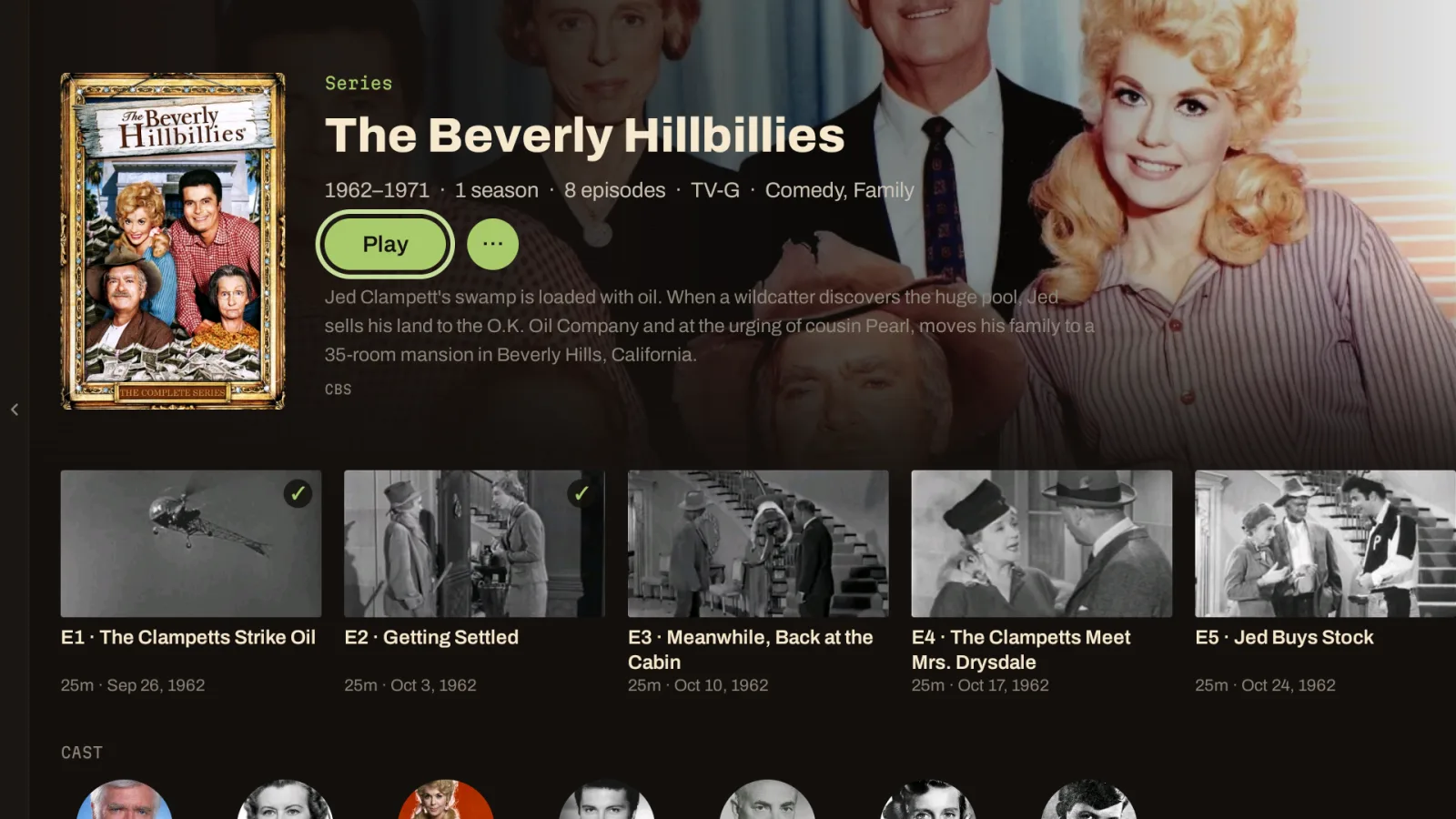
SERIESWatched episodes, marked at a glance.

DETAILEverything you’d want to know, before you press play.
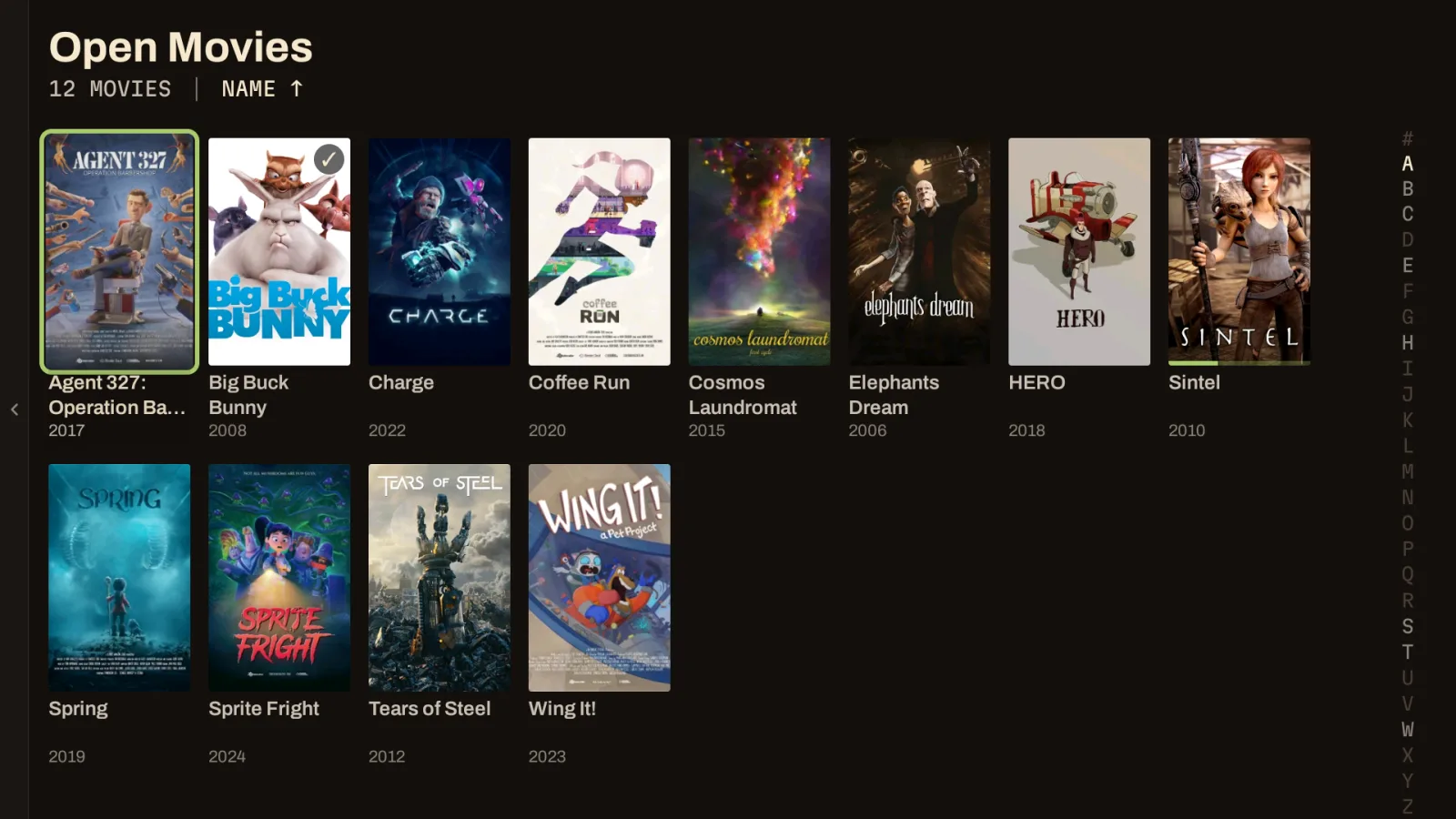
LIBRARYAn A–Z rail for big libraries.
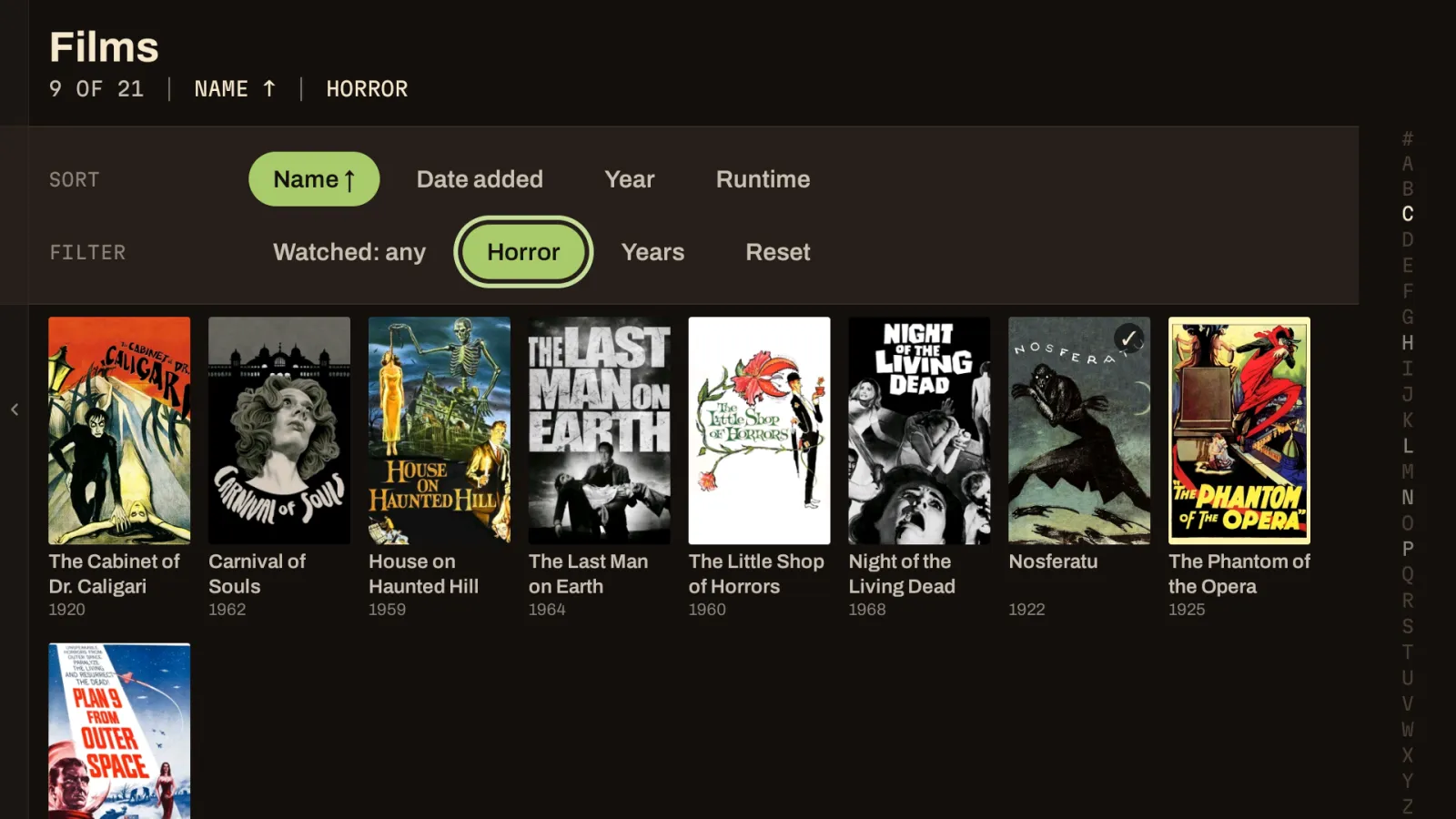
SORT + FILTERGenre, watched and years, from the remote.
- 8:55 PM
Your library names stay yours.
Called one “4K DO NOT TOUCH”? So does Jellybeam.
- 8:58 PM
Can’t decide?
Jellybeam picks a random episode of the show for you.
- 9:00 PM
Pick subtitles or the dub once per show.
Jellybeam remembers for every episode after.
- 9:01 PM
Skips are yours to set.
Intros can skip themselves while recaps still ask.
- 9:26 PM
Hold to glide.
Missed a line? Skipping back is instant. Need to go further? Hold and glide through the file with thumbnails the whole way. Now that’s a trickplay.
- 9:40 PM
Your Wi-Fi can have a little moment.
The movie won’t. We tested it over slow VPNs and fast ones.
- 9:47 PM
Next up waits for the credits.
So you never lose the last scene to a countdown.
- 10:15 PM
Back doesn’t end the film.
With the mini player on, it floats off to a corner and keeps playing while you browse or switch apps.
- 11:52 PM
Falling asleep isn’t consent.
After a few untouched episodes, it asks if you’re still there. Your place stays where you actually dozed off.
Bring your own Jellyfin.
Jellybeam plugs into the Jellyfin server you already run, from 10.11 through 12.
Nothing to type with a remote.
Jellybeam finds servers on your network, and Quick Connect signs you in from your phone.
Your progress travels.
Finish an episode on the TV and your phone already knows.
Free, like Jellyfin.
Open source under the GPL, with nothing to pay for and no analytics.
On your TV in a minute.
Download.
Grab the APK from Releases.
Install.
Sideload it with adb or a file manager.
Sign in.
Choose your server, then use Quick Connect on your phone.